Preauthorization
By
Oct 01, 2025
Adding Contact Information to Preauthorization Requests
You will now see a new section, Contact Details, when creating an authorization in the Preauth & Care Plan Tool. Contact information can now be entered here instead of the Notes section.
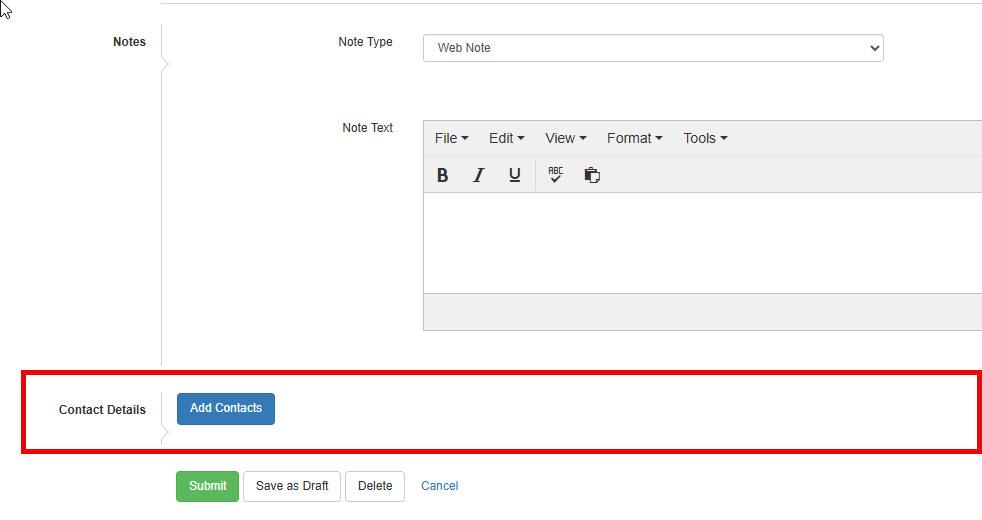
- To add your contact information when creating an authorization request, click on Add Contacts.
- Enter information in the fields with a red asterisk (Name, Contact Type, Phone Types, and Phone Number).
- Click Add, and then Save.
- Finish submitting your authorization request.
Training & Other Resources
Check out the new Preauth & Care Plan Tool page for more helpful resources, including:
Other News

New Update to the Preauth & Care Plan Tool
The Preauth & Care Plan Tool will be getting an update this month, with two key changes that providers should be aware of. Here’s a closer look at what’s changing and what you need to know.
Read more
Updates to Select Health's Online Tools (PBT & Preauth Tool)
Select Health makes continual improvements to our online tools (PBT & Preauth Tool). Here are just a few of the many recent updates that have been implemented.
Read more
Updated Training Videos for PBT & Preauth Tool
Provider Web Services recently revised all the online training videos for Provider Benefit and Preauth tools to cover updated features and information.
Read more
Adding Multiple Attachments in the Preauth & Care Plan Tool
Multiple attachments can now be added to an episode in the Preauth and Care Plan Tool. This improvement will help users quickly add more attachments to their preauthorization requests, speeding up the submission process.
Read more