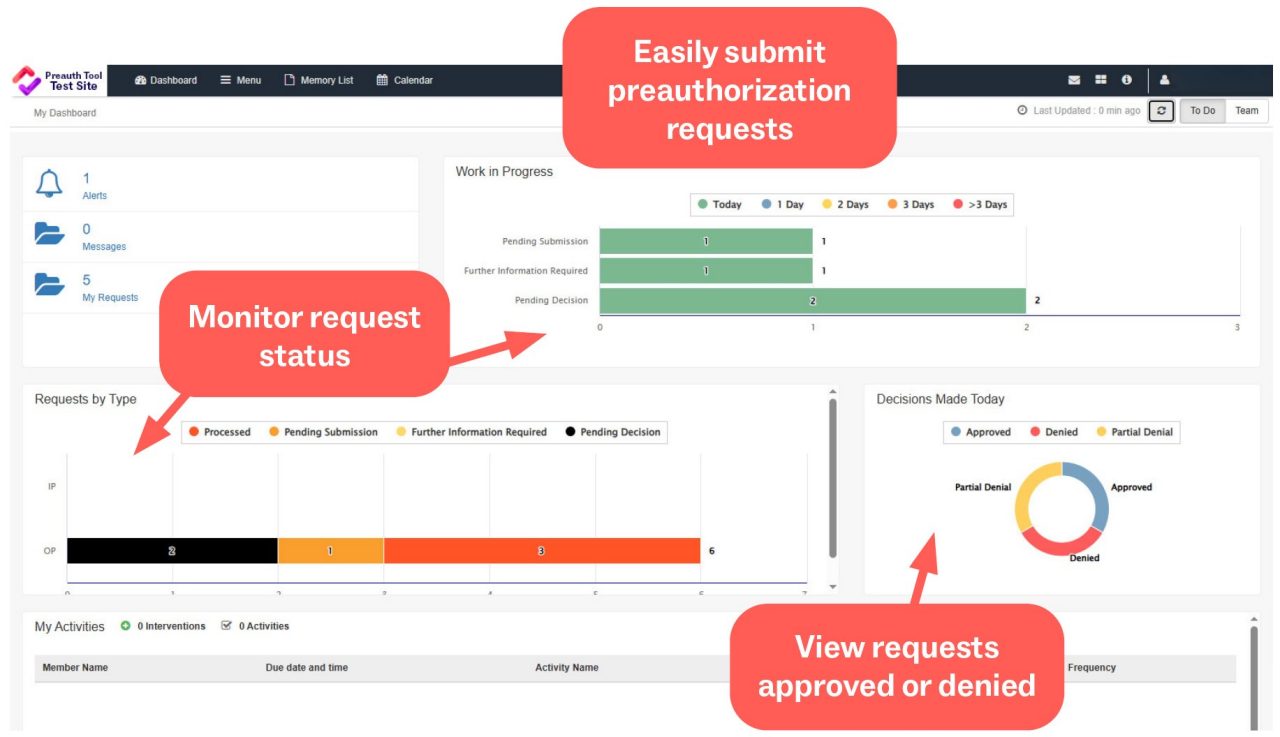
Still faxing your preauthorization requests? Let the staff at your practice know that they can sign up for the Preauth & Care Plan Tool to submit and monitor requests online. Compared to faxed and emailed requests, this tool can make the process easier than ever, with many benefits like:
- Reduced response time
- 24/7 preauthorization status information
- No risk of information being lost, sent to the wrong number, or other errors
- Reduced follow-up calls and decision delays due to missing information
- Automatic review and preauthorization decisions for many procedures (including CPAP/BIPAP, eye procedures, hysterectomy, spinal pain interventions, tonsillectomy/adenoidectomy, total joint [hip and knee], and varicose vein procedures.) Learn more.
New Users
If you are new to the Preauth & Care Plan Tool, here are a few steps you can take to get started:
- Register to use the Preauth & Care Plan Tool.
- Visit the Preauth and Care Plan Tool website for training videos, quick guides, and FAQs.
Current Users
Some users have encountered the following common issues when logging in or creating authorization requests. Please read the information below to learn what steps you should take to resolve these problems if needed.
- Login Errors: If a registered user receives a TaxID XML error when trying to login, please call the help desk at 801-442-7979, option 2 to submit a ticket. Please include the error message in your ticket.
- Member Eligibility Issues: If a member is not showing as eligible in the Preauth & Care Plan Tool but eligibility has been verified, please call the help desk at 801-442-7979, option 2, to submit a ticket.
- Editing Authorizations: Be sure to click the X on the right side of the screen after adding attachments or a note to an authorization. If the authorization is not exited correctly, it may block others from being able to work on the request.
- Facility Role: When submitting a request using a facility, the facility should always have the role of Servicing. Additional Servicing is only for providers and should not be used for a facility. Using the wrong role can cause claim issues.
Training & Other Resources
Check out the Preauth & Care Plan Tool page for more helpful resources, including:
Other News