What is a proxy?
A proxy is someone who is authorized to access your Agent Link Account.
Instructions for adding a proxy:
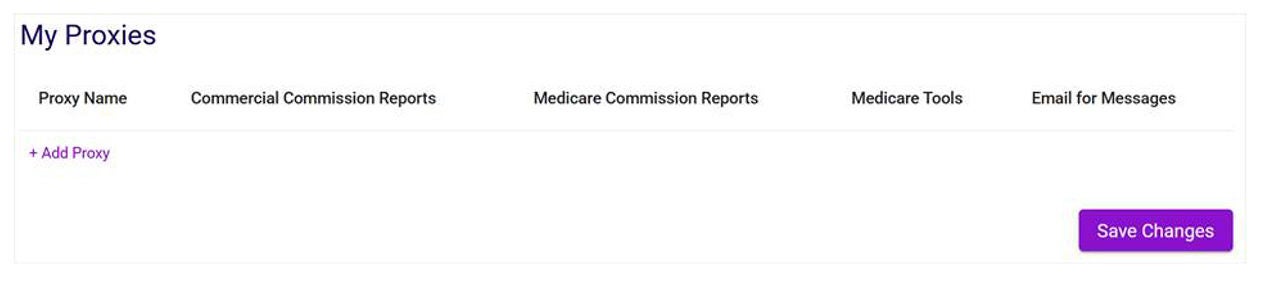
Go to the Agent Profile screen under the Agent Tools dropdown or by clicking your name at the top right of the page. The proxies section is located at the bottom of the Agent Profile. It will show existing proxies (if applicable) and also features the +Add Proxy link:
After clicking +Add Proxy, you will need to enter the proxy's information, select their permissions, and then click Submit. If the proxy already has an account, their name and phone number will be auto-populated after entering their email.
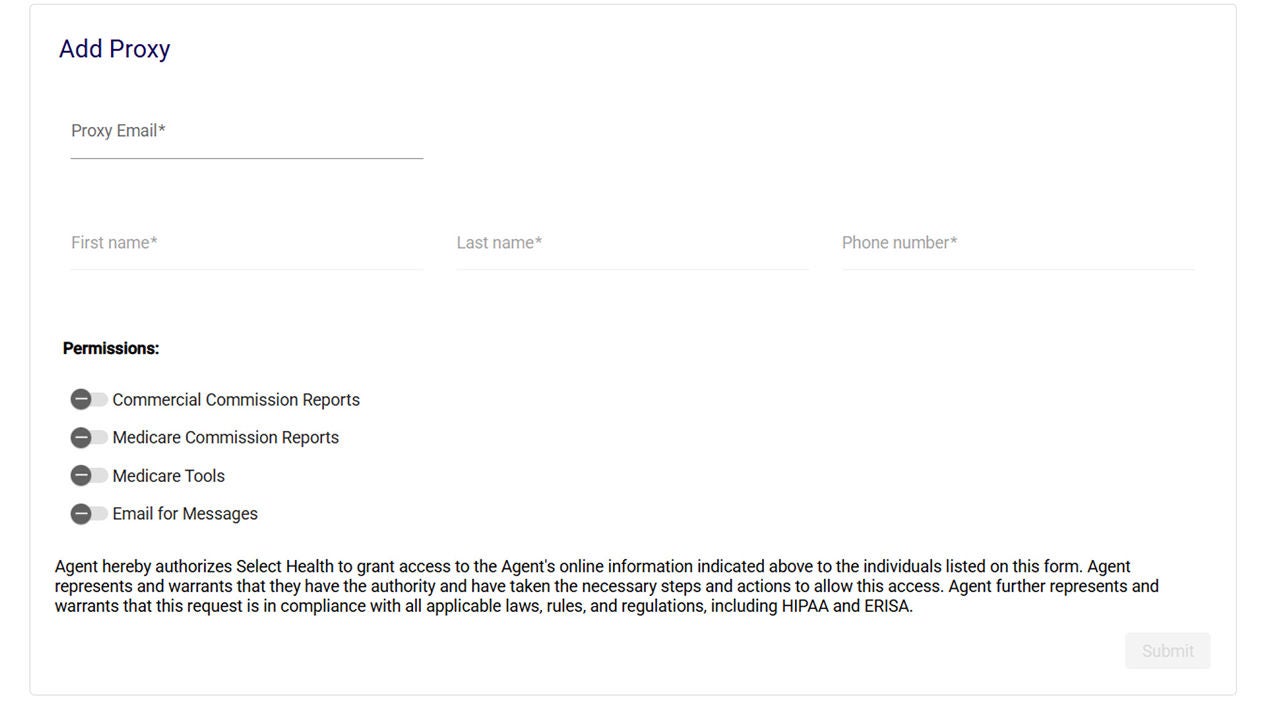
After clicking submit, the new proxy will receive an email with instructions for setting up their account, and you will receive a PIN that you will need to give to the proxy for them to complete their account setup. The PIN is valid for 72 hours, so make sure they use it promptly. For proxies who have an existing account, the process is completed after clicking Submit.
Reminder: Agents must log in to their new account at least once per year to attest their proxies. On the Agent Profile screen, go to the bottom of the page (below the proxy list) and click the "I Agree" button to verify that the information and proxies listed are correct. If this is not completed once a year, proxies will lose access to the agent's account.