How to use the Agent Resources page
The Agent Resources page makes it easy to find, customize, download, and order materials for your clients. Follow these steps to get started:
1. Sign in. Log in to your Select Health Link account.
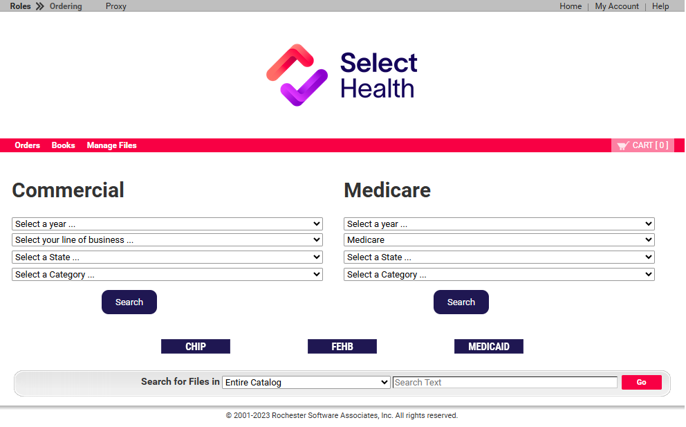
2. Open Agent Resources. Under “Agent Tools,” select “Agent Resources.”
3. Find the materials you need. On the landing page, select a year, line of business, state, and category. Individual and group plan materials are available under “Commercial.”
4. Download a digital copy. Click the thumbnail image to open a viewing window. Click on the download button in the viewing window to save a copy.
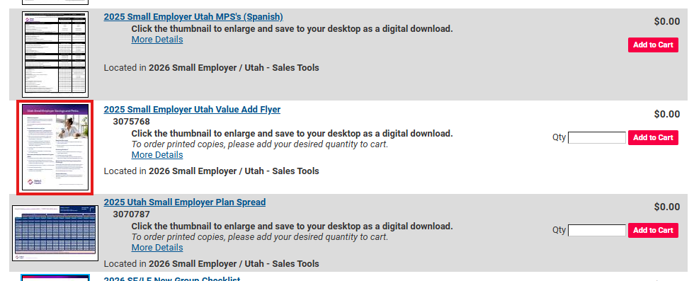
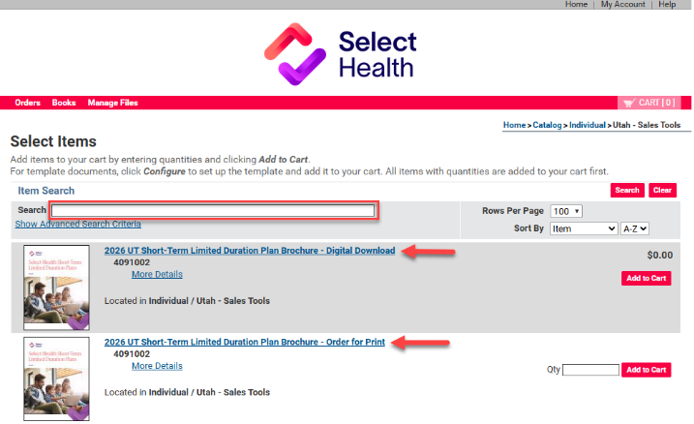
5. Add printed items to your cart. For printed materials, click “Add to Cart.” Enter the quantity, then select the cart icon at the top of the page to check out.
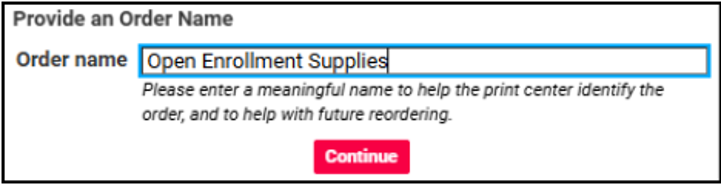
6. Name your order. Give the order a recognizable name so you can quickly save and reorder the same group of items later.
7. Confirm your shipping information. Select the pencil icon to review or update the address on file. New addresses are saved to your contact list, making it easy to ship future orders to your home, office, or client.
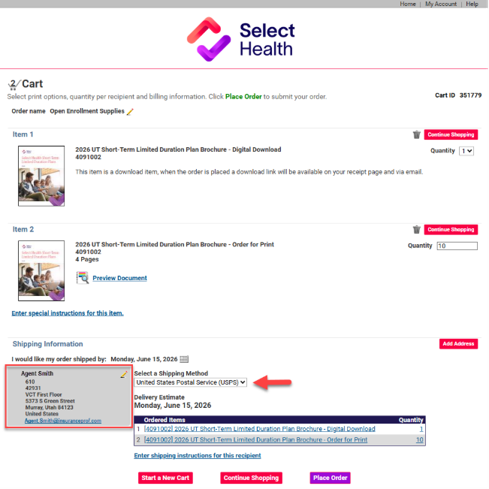
8. Place your order. After confirming the address, click “Place Order.” Digital files will also be sent by email and will also be available under “Orders” on the main toolbar.
9. Customize eligible materials. Items with “Form-Fill” in the title can be personalized. Select “Customize” to begin.
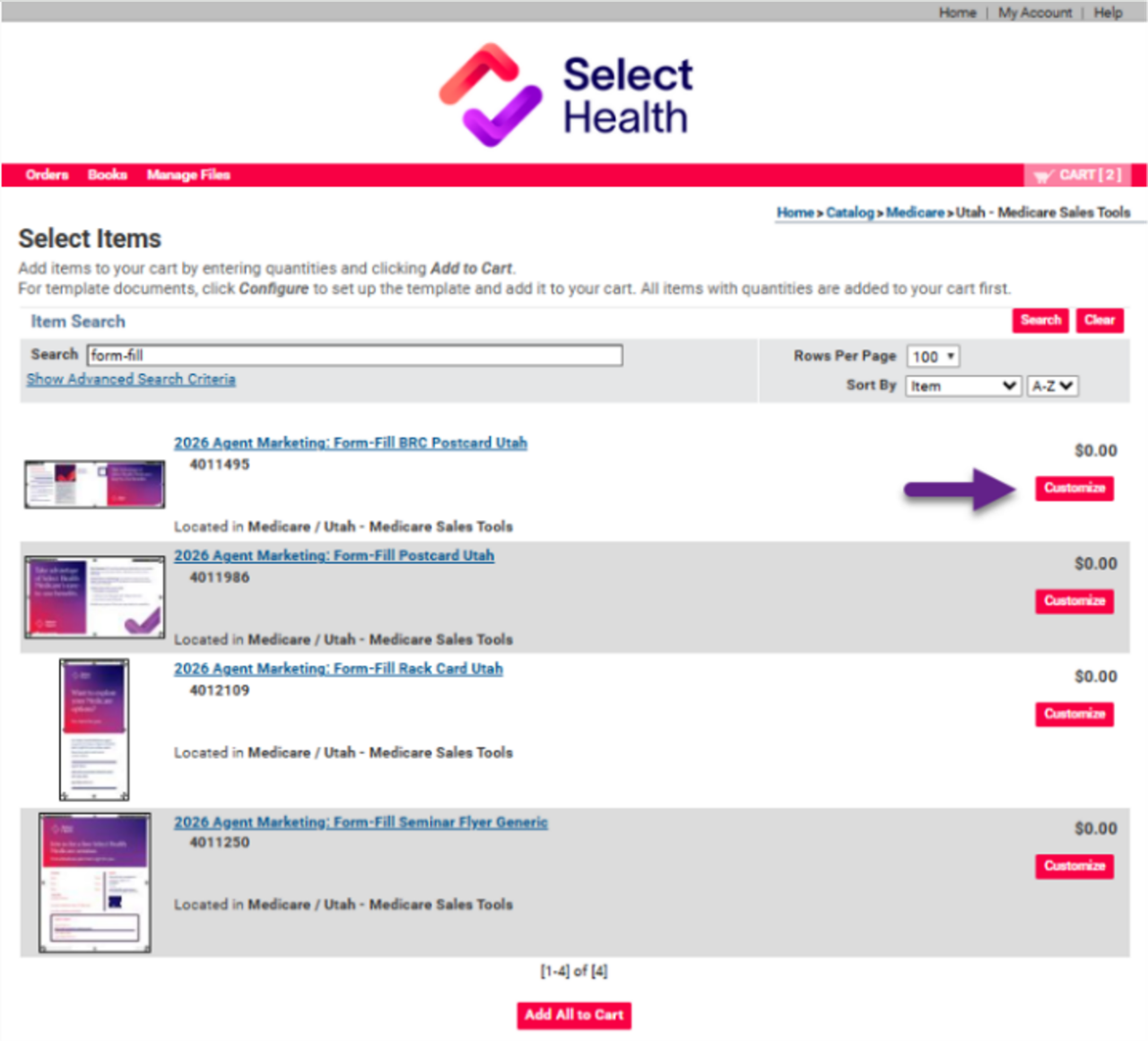
To return to the main landing page at any time, select the Select Health logo at the top of the page.
A resource for agents: Partnering with Select Health's SIU team
Most agents work hard to do the right thing. The Select Health Special Investigations Unit (SIU) is here to help protect members, preserve program integrity, and support agents when application information doesn't seem right.
Fraud vs abuse: what’s the difference?
- Fraud occurs when someone intentionally provides false information to gain coverage or financial benefits.
- Abuse occurs when incorrect information results in improper payments or benefits, even without intentional deception.
The line between the two isn’t always clear; it depends on the facts, intent, prior knowledge, and available evidence.
Wrong address, real consequences
Addressing misrepresentation is a growing concern. Watch for these red flags:
- An address on the application where the member doesn’t actually live.
- A friend’s, family member’s, agency’s, or PO box address used to reach a different county or state.
- An address that puts the applicant in a lower-premium rating area or in a plan for which they don’t qualify. This often comes with unverified income or household details.
- A member uses a relative's address to qualify for a plan or lower premium rate in another county. If discovered, the member could lose coverage eligibility, face subsidy repayment, or experience claim issues.
Why it matters
Premiums, subsidies, and provider networks are all priced by location. Federal exchanges say they’re tightening oversight of agents. Agents who knowingly submit inaccurate application information risk disciplinary action, loss of FFM registration, carrier termination, and potential regulatory consequences. Clients can also be hurt through denied claims, lost coverage, or having to repay subsidies. If an address doesn’t add up, ask questions, document what you find, and call the SIU.
What agents can do
- Verify the member’s physical residence address.
- Clarify who lives in the household.
- Confirm income information used for subsidy determinations.
- Document conversations when information appears inconsistent.
- Contact SIU when concerns cannot be resolved.
How to make a report
- SIU Hotline: 801-442-4847
- Email: HP.SIU@imail.org
If something doesn't seem right, you don't have to solve it alone. The SIU team can review concerns, investigate potential fraud, waste, or abuse, and help ensure applications are processed appropriately.
The Great American Smokeout
The Great American Smokeout, held on the third Thursday of November, encourages people who smoke to make a plan and take the first step toward quitting. The American Cancer Society offers practical resources and support to help participants begin their journey toward a healthier, smoke-free life.
Your clients’ health plans may include access to Quit for Life, a nicotine cessation program offering research-based tools, personalized coaching, online resources, and a tailored quit plan to help members stay on track and achieve long-term success—all through one convenient source.
To connect with more tobacco cessation resources, encourage members to connect with their Primary Care Provider (PCP). If they do not currently have a PCP, they can call our Member Advocates team at 800-515-2220 (TTY: 711) or refer to our finding care resource here.